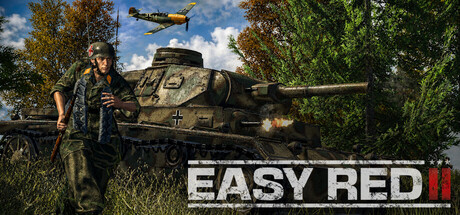
Easy Red 2 PC Hardware Guide
Official requirements explained
The official minimum asks for an Intel Celeron G530 or AMD Athlon II X2 250 processor, an NVIDIA GeForce GT710 or AMD Radeon R5 240 graphics card, 1.46 GB of RAM and 10 GB of storage. The publisher does not list an SSD requirement. In our tier reference, that GPU sits in the integrated or very old entry-level band, and the CPU is roughly Core 2 Duo E8400 class, so the minimum is aimed at quite old machines.
The official recommended spec is an Intel Core i3-2100 processor, an NVIDIA GeForce GTX 750 Ti or AMD Radeon R7 360 graphics card, 4 GB of RAM and the same 10 GB of storage. The GPU reference lands around the GTX 750 Ti generation, and the CPU is in the i3-2100 class. The gap between the two tiers is mostly about GPU generation and memory: the recommended level keeps large battles with many units steadier, while the minimum is better suited to lower resolution and reduced settings.
The publisher does not list a higher tier, and no other requirements are given. If your PC clearly exceeds the recommended level, you can set the game to suit your display and taste.
So the practical takeaway is simple: below the recommended level you should expect to lower settings, and above it you have room to tune quality upward.
Recommended builds for three budgets
The entry build suits players who want to keep costs down and mainly play at 1080p or lower. We suggest an NVIDIA GeForce GTX 1650 4GB or AMD Radeon RX 6500 XT, paired with an AMD Ryzen 3 3100 or Intel Core i3-10100F. Aim for 16 GB of RAM, since the large maps and crowded battles keep memory busy.
The mainstream build is for players who want comfortable headroom to raise quality, or who play other recent titles too. Consider an NVIDIA GeForce GTX 1660 Super or RTX 3050 8GB, with an AMD Ryzen 5 3600 or Intel Core i5-10400. Again, 16 GB of RAM helps keep multitasking and long sessions smooth.
The high build suits players who want higher resolutions or extra margin for future updates and mods. Options include an NVIDIA GeForce RTX 4060, AMD Radeon RX 7600 or Intel Arc B570, paired with an AMD Ryzen 5 5600 or Intel Core i5-12400. Start at 16 GB of RAM. These parts sit well above the official recommended tier, but the final experience still depends on your settings and monitor.
Graphics settings with the biggest impact
In a large open-map wargame like this, the settings that usually cost the most are shadow quality, volumetric effects and smoke, view distance, and the number of units and objects simulated on screen. Shadows and view distance are often the biggest levers. Dropping them from very high to medium tends to give the clearest gain, while the visual difference is relatively modest.
If your graphics card is entry-level or from an older generation, start by lowering shadows, volumetric effects and post-processing, and keep textures and basic anti-aliasing reasonable. If your card has spare capacity, raise view distance and detail gradually. Ray tracing, where offered, usually gives little return in a game like this, so it is not worth sacrificing more important settings for it.
Upscaling technologies such as NVIDIA DLSS, AMD FSR and Intel XeSS work in general by rendering at a lower internal resolution and reconstructing a larger image. If your card supports one, it can add headroom with an acceptable visual trade-off. Compare them yourself before deciding.
Laptops and handheld PCs
A laptop GPU with the same name as a desktop card often performs differently, because laptop versions usually run with lower power limits and have less cooling space. When buying or setting up a laptop, check that the GPU is a full-power variant and keep the cooling clear, so it does not throttle under long, heavy loads. Running on mains power usually lets the machine deliver more of its performance.
Handheld PCs such as the Steam Deck or ASUS ROG Ally are more constrained than desktops in power and cooling. In general, use low to medium quality and lower resolutions, and use the device's scaling or dynamic resolution options if needed. We do not have verification data for these devices, so we cannot give a specific compatibility rating; treat this as general guidance.
On either type of device, it is worth starting with low settings and raising them gradually, rather than starting high and backing off.
Storage and memory
The official storage requirement is 10 GB. That covers the base installation, but leave extra room for updates, saves and temporary files. If your drive is small, consider removing games or files you rarely use.
An SSD is not an official requirement. It does, however, noticeably shorten map loading and loading screens, which matters in a game that loads large scenes often. A traditional hard drive will still run the game; loading will just take longer.
For memory, the official minimum is 1.46 GB and the recommended is 4 GB, but we suggest 16 GB in practice, since large maps and crowded battles push memory use up quickly. Also make sure the RAM runs in dual-channel mode, with sticks in the correct slots. This gives better bandwidth and a real improvement in overall smoothness.