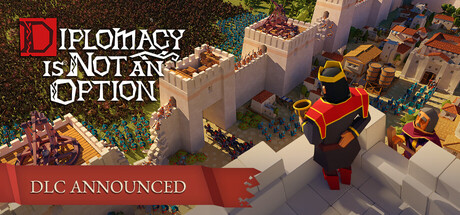
Diplomacy is Not an Option PC Hardware Guide
Official requirements explained
Diplomacy is Not an Option is a medieval fantasy strategy game from Door 407. The official minimum asks for an Intel Core i5-6400 or AMD FX-8300 processor, a GeForce GTX 1070 or Radeon RX Vega 56 graphics card, 16GB of RAM and 15GB of storage. An SSD is not required. By today's standards the i5-6400 is a very old entry-level quad-core, and the GTX 1070 is an older 1080p-class card. Think of the minimum as a setup that can run the game at lower settings, not one that will look or feel its best.
The official recommended tier asks for an Intel Core i5-7400 or AMD Ryzen 3 2300X, a GeForce GTX 2060 or Radeon RX 5600, 32GB of RAM and the same 15GB of storage. On our tier scale the recommended CPU sits in the older mainstream band, and the recommended GPU is roughly equivalent to an RTX 4050 laptop chip, which is a 1080p-class mainstream part. So the real jump from minimum to recommended is mostly the graphics card, one generation newer, plus doubling RAM to 32GB. The CPU requirement barely changes.
The publisher did not list any tier above the recommended one, so we cannot point to official guidance for higher-end setups. If your system meets or beats the recommended tier, you should be fine for regular play, but how high you can push the settings is something to find out in the game itself.
Recommended builds for three budgets
The entry build suits players on a tight budget who mainly want the game to run smoothly. We pair a GeForce GTX 1660 Super or RTX 3050 8GB with an AMD Ryzen 3 3100 or Intel Core i3-10100F, plus 16GB of RAM. This clears the official recommended tier with some room to spare, but if you want high settings you will need to tune them yourself.
The mainstream build is the sweet spot for most players. A GeForce RTX 3060 8GB or Radeon RX 6600 with a Ryzen 5 3600 or Core i5-10400 and 32GB of RAM comfortably exceeds the recommended tier. It is the choice for people who want steadier results and extra headroom for late-game battles with very large unit counts.
The high-end build is for players who want higher resolutions and better visuals, for example a GeForce RTX 5070 Ti or Radeon RX 9070 XT paired with a Ryzen 7 5700X or Ryzen 5 8600G and 32GB of RAM. This is far above the official requirements. The main benefit is holding high settings at higher resolutions without leaning heavily on upscaling.
Graphics settings with the biggest impact
In large army strategy games like this one, the settings that usually cost the most are shadow quality, volumetric lighting and fog, view distance, and anything that scales with the number of units and simulation work on screen. Shadows and view distance tend to be the most noticeable costs, while big battles put more load on the CPU and memory. If your hardware sits near the recommended tier, lowering shadows and view distance usually helps more than dropping texture quality.
Texture resolution mainly affects video memory use rather than processing load. If your card has limited VRAM, dropping textures from high to medium often saves a lot of pressure without a big visual cost. Anti-aliasing has diminishing returns in a game viewed from a top-down or mid-range camera, so lighter options are usually enough.
Upscaling technologies such as NVIDIA DLSS, AMD FSR and Intel XeSS render at a lower internal resolution and reconstruct the image at your output resolution. When supported, they can free up plenty of headroom for a modest image quality trade-off, which is especially useful at higher resolutions. We do not have official details on which of these the game supports, so check the in-game options.
Laptops and handheld PCs
A laptop GPU carrying the same name as a desktop card usually performs worse. Laptop versions run at lower power limits and have less room for cooling, so sustained load often trails the desktop part. When judging whether a laptop meets the requirements, look at the exact GPU model and its power configuration rather than the name alone. Our tier mapping is a general reference and does not describe any specific laptop's real behaviour.
For handheld PCs such as the Steam Deck or ROG Ally we have no verification data for this game, so we cannot give a compatibility rating. In general, handhelds have limited graphics power and thermal headroom. Expect to lower the resolution and settings, and keep an eye on heat and battery life during long sessions.
If you play on a laptop or handheld, set the power mode to its performance profile and keep the cooling clear, for example by using a stand or cleaning the fans regularly. Test settings from low to medium and settle on the balance you find acceptable.
Storage and memory
The official minimum is 16GB of RAM and the recommended is 32GB. 16GB is enough to run the game, but it can feel tight if you keep a browser, chat apps or other background programs open. 32GB gives comfortable headroom and reduces the chance of stutter when unit counts get large late in a session. Use a dual-channel setup by installing matched memory modules in pairs for better bandwidth.
The official storage figure is 15GB, but leave extra room for updates, save files and temporary data. An SSD is not officially required, so a traditional hard drive will work, but an SSD noticeably shortens load and reload times, which matters in a strategy game where you load and save often. If you use a mechanical drive, at least install the game on the fastest disk you have.
Finally, updates to the game and the operating system can grow the space used over time, so try to keep at least 20 percent of the drive free to avoid failed updates and slowdowns.