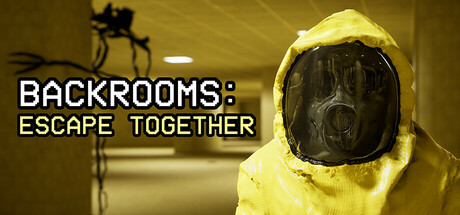
Backrooms: Escape Together PC Hardware Guide
Official requirements explained
The official minimum CPU is an Intel Core i5-4430, which roughly corresponds to the Core i5-4460 generation. That places it in the old entry-level tier. The minimum graphics card is an NVIDIA GeForce GTX 960 2GB or AMD Radeon R7 370 2GB, roughly on the level of a GeForce GTX 680, which is also an older budget product. The minimum memory is 4GB, and the game needs 15GB of storage.
The recommended specs rise to an Intel Core i5-6600K or AMD Ryzen 5 1600, with an NVIDIA GeForce RTX 2070 8GB or Radeon RX 6600 XT for graphics. That is roughly a mainstream sweet-spot level. The recommended memory is 16GB, and storage stays at 15GB. The publisher does not require an SSD, so a traditional hard drive will work, although loading will be slower.
The gap between minimum and recommended is mostly in the graphics card and memory. The minimum will launch the game, but 4GB of RAM is tight on a modern system, and you will usually need to drop settings low. A setup that reaches the recommended tier gives you much more room to play at higher quality.
The publisher lists no separate requirements for other platforms beyond the parts above, so the figures here apply to a standard desktop PC.
Recommended builds for three budgets
The entry build suits players on a tight budget aiming for 1080p. It pairs an AMD Radeon RX 6500 XT with an AMD Ryzen 3 3100. This combination only meets the official minimum on the graphics side, so expect to run low to medium settings. Still, use 16GB of memory, since 4GB will leave the system struggling.
The mainstream build is the best value for most people. It uses an NVIDIA GeForce RTX 3060 12GB or AMD Radeon RX 6600 XT, an AMD Ryzen 5 3600, and 16GB of memory. These parts meet the official recommended specs, so you can play at medium to high settings with some headroom for background apps and streaming.
The high-end build suits players who want higher quality and more margin, such as an NVIDIA GeForce RTX 4070 with an AMD Ryzen 5 5600 and 32GB of memory. These parts are comfortably beyond the recommended specs, so even demanding settings should leave room to spare.
Graphics settings with the biggest impact
In a horror game built around dim interiors, the settings that usually cost the most are shadow quality, volumetric lighting and fog, and ray tracing. Shadows matter in corridors, but the highest setting often costs far more than it adds visually, so start at medium. Volumetrics and fog also add load. If your graphics card is on the weaker side, lowering these two usually makes a noticeable difference while keeping the atmosphere intact.
Object density and view distance also add pressure. Because the levels are procedurally generated, more detail means more work for the GPU and memory. If the game stutters, reduce view distance and detail first before changing other options.
Upscaling technologies such as DLSS, FSR, and XeSS generally render at a lower internal resolution and scale the image up to your display. The trade-off is a small change in image quality. If your card supports one of them, it is worth trying for extra headroom, especially on mid-range and lower cards.
Laptops and handheld PCs
Laptop graphics chips often share names with desktop cards but deliver less performance, because power limits and cooling space are tighter. When buying, check the listed power draw (TGP) and the model suffix, since a laptop version with the same name may not match its desktop counterpart. If performance drops, set the power mode to maximum performance and make sure the vents are clear.
Handheld PCs such as the Steam Deck or ROG Ally are general-purpose devices, and performance and battery life pull against each other. Start with lower settings and resolution, and cap the frame rate to balance battery and temperature. The publisher has not listed any Steam Deck verification data, so check how the game runs on your own device.
Storage and memory
The official minimum memory is 4GB and the recommended is 16GB. On a modern system, 4GB is easily used up by the operating system and background apps, so aim for at least 8GB and ideally 16GB. If your motherboard supports it, install two sticks of matching capacity to enable dual-channel mode, which doubles memory bandwidth and helps most in CPU-heavy scenes.
The game itself needs 15GB of storage, and the publisher does not require an SSD. A traditional hard drive will work, but an SSD noticeably shortens load times. Keep some extra free space as well, for updates and temporary files.