Yet Another Zombie Defense HD PC Hardware Guide
Official requirements explained
The official minimum for Yet Another Zombie Defense HD asks for a dual-core CPU at roughly 2GHz, a GPU compatible with DirectX 9, 2GB of RAM, and about 0.39GB of storage. An SSD is not required. By today's standards this is a very low bar. The CPU entry roughly corresponds to an AMD Athlon 64 X2 6000+ class processor, and the GPU entry to Intel HD Graphics 4000 class integrated graphics.
The publisher did not list recommended requirements, so there is no official minimum-to-recommended gap to compare against. In practice, if your PC meets the minimum, it is within the officially listed range. If you want more headroom, use the build suggestions in the next section as a guide.
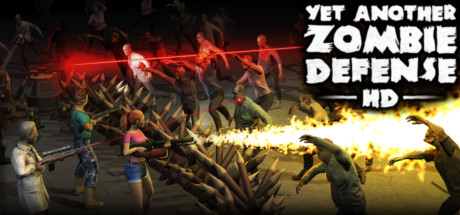
The game is a top-down zombie shooter with tower defense elements, so its demands come mostly from the number of units and the visual effects on screen rather than from heavy 3D rendering. Most reasonably modern entry-level parts will handle it comfortably.
Recommended builds for three budgets
The entry tier suits players who want to keep costs down and mainly play at 1080p or lower. The GPU options here are AMD Radeon RX 6500 XT, Intel Arc A380 and NVIDIA GeForce GTX 1650 4GB, paired with a CPU such as the Ryzen 3 3100 or Core i3-10100F, and 16GB of RAM. That is well above the official minimum and should keep play smooth even when zombie counts climb.
The mainstream tier overlaps with entry but offers stronger choices, such as the GTX 1660 Super or RTX 3050 8GB, and CPUs like the Ryzen 5 3600 or Core i5-10400. It gives more room if you want higher settings or run streaming software alongside the game. Again, 16GB of RAM is the suggested amount.
The high tier lists flagship parts such as the RTX 4090, RX 7900 XTX and Ryzen 7 9800X3D. For this game they are far beyond the official recommended range, so they make sense mainly for players who want high resolutions and high settings, or who run other heavy applications at the same time. Start at 16GB, and consider 32GB if you multitask heavily.
Graphics settings with the biggest impact
In top-down shooters and tower defense games like this one, the costliest settings are usually shadows, volumetric effects such as fog and light shafts, and the density of units and objects on screen. Shadows in particular can add up quickly when many zombies are active at once. If your graphics card is on the weaker side, lowering shadow quality first is usually the most effective change, and the visual difference from a top-down camera is often small.
Anti-aliasing and post-processing effects are another common cost. At lower resolutions, a lighter anti-aliasing setting can free up some headroom; at higher resolutions the difference is smaller, so you can usually keep those settings higher.
Upscaling technologies such as NVIDIA DLSS, AMD FSR and Intel XeSS render at a lower internal resolution and scale the result up to your display. If the game offers them and your GPU supports them, they can ease the load, at the cost of some fine detail. Compare them on your own monitor and decide what looks acceptable to you.
Laptops and handheld PCs
Laptop GPUs often share names with desktop parts, but their power limits and cooling are usually lower, so performance tends to trail the desktop version. When choosing a laptop, look at the actual graphics power limit (TGP) and cooling design rather than the model name alone. For a game of this demand, most recent laptop dedicated GPUs are more than adequate, while entry integrated graphics may throttle during long sessions when they overheat.
Handheld PCs such as the Steam Deck or ROG Ally are self-contained devices with fixed limits on performance and cooling. For a lightweight top-down game like this, a handheld can usually run it at modest settings. We do not have Steam Deck verification data for this title, so we cannot give a specific compatibility rating; rely on your own experience with the device.
On handhelds, start with lower settings and resolution and raise them gradually. If the device gets noticeably hot, limiting the frame rate or lowering the power budget can make it quieter and more stable.
Storage and memory
The official minimum lists 2GB of RAM, which is barely enough on a modern system. We suggest at least 16GB so the operating system and background programs have room to work. If your motherboard supports it, a dual-channel configuration using two matching modules improves memory bandwidth and is worth doing.
The listed storage requirement is about 0.39GB, so the game itself takes very little space. Leave extra room for system updates, save files and other titles. An SSD is not officially required, but it typically cuts load and read times noticeably and makes starting the game and switching screens feel quicker. If your budget allows, an SSD is a worthwhile upgrade.
Finally, keep some free space on the drive where the game is installed to avoid stability issues caused by a nearly full disk, and check the health of your drives from time to time.