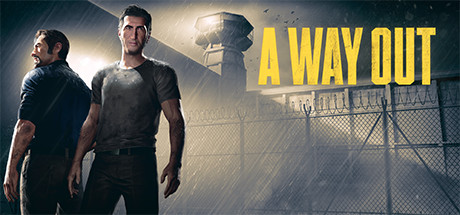
A Way Out PC Hardware Guide
Official requirements explained
The official minimum for A Way Out lists an Intel Core i3-2100T at 2.5GHz or an AMD FX-6100, an NVIDIA GeForce GTX 650 Ti 2GB or AMD Radeon HD 7750 2GB graphics card, 8 GB of RAM and 25 GB of storage. By today's standards that is an entry-level to very old tier. The GPU roughly corresponds to a GeForce GT 1030 class integrated or very old budget card, and the CPU is close to the Core i3-2100 generation, so the minimum was written for early hardware.
The official recommended spec rises to an Intel Core i5-3570K or AMD Ryzen 3 1300X class processor, an NVIDIA GTX 960 or AMD R9 290 class graphics card, and 16 GB of RAM. The GPU is about the level of a GTX 1050 2GB, and the CPU is roughly on par with an AMD FX-8350. What the gap means for you: meeting the minimum should let the game start and run at lower settings, while meeting the recommended spec puts your machine inside the publisher's intended range for comfortable play at standard settings.
The publisher did not list any higher or lower official tiers, so the official data cannot tell you how much extra headroom a stronger machine would have. Both levels call for 25 GB of storage, and an SSD is not listed as a requirement.
Recommended builds for three budgets
For an entry budget, pair a GeForce GTX 1650 4GB or Radeon RX 6500 XT with a Ryzen 3 3100 or Core i3-10100F and 16 GB of RAM. This combination sits comfortably above the official recommended tier and suits players who want to enjoy this adventure game for less money. Since the game's graphical demands are moderate, the entry build covers the recommended range well; just keep an eye on settings if you push resolution or effects higher.
For a mainstream budget, a GeForce GTX 1660 Super or RTX 3050 8GB paired with a Ryzen 5 3600 or Core i5-10400 and 16 GB of RAM gives a clear margin over the recommended spec. It suits players who want steady play at recommended settings and room to turn on extra effects when they like.
For a high-end budget, an RTX 2080 Super, RX 7600 or RTX 4060 with a Ryzen 5 5600X or Core i5-12400 and either 16 GB or 32 GB of RAM is far above the official recommendation. You should not need to compromise on visuals for this game, and the build makes more sense if you also play other demanding titles or want to game at a higher resolution.
Graphics settings with the biggest impact
In an action-adventure game with lots of scenery and effects like this one, the settings that usually cost the most are shadow quality, volumetric lighting and fog, view or depth-of-field distance, and the density of props and crowd detail. Shadows and volumetric effects are often the biggest cost, so adjust those first, and keep texture quality high, since textures shape the look of the game a lot while costing comparatively little performance.
Ray tracing is not part of the official requirements, and in games of this kind it is generally an optional extra. If your graphics card lacks hardware ray tracing, leave it off; if it has it, treat it as a bonus rather than a necessity. Anti-aliasing is worth keeping at a moderate level because it has a direct effect on image clarity.
Upscaling technologies such as NVIDIA DLSS, AMD FSR and Intel XeSS work by rendering at a lower internal resolution and reconstructing a higher-resolution image, which can give a smoother result with only a modest loss in image quality. Use them if your card and the game support them, and check the in-game settings menu for what is available.
Laptops and handheld PCs
Laptop graphics chips often share names with desktop cards, such as RTX models, but they are not the same. Laptop versions are limited by power caps and cooling space, so they usually run noticeably slower than the desktop card with the same name. When judging whether a laptop meets the requirements, look at the machine's actual GPU power setting and cooling design rather than the model name alone. If performance drops badly after long sessions, improve airflow and play while plugged in.
Handheld PCs such as the Steam Deck or ROG Ally can generally run titles like this one by lowering resolution, using upscaling and adjusting power limits. Their internal hardware differs from a desktop, so the available settings and the real-world experience depend on the device and on the game's support for it. No handheld-specific verification data is available for this title, so start with conservative settings and adjust gradually.
Storage and memory
The official minimum RAM is 8 GB and the recommended is 16 GB. Sixteen gigabytes gives the system and the game more room and is less likely to stutter when background programs are running. Thirty-two gigabytes will add little for this game alone but gives more headroom if you run many applications at once. Use a dual-channel layout, with two matching sticks in the correct slots, which usually performs better than a single channel.
The official storage requirement is 25 GB, but when installing it is wise to leave extra space for updates, saves and other files. The official data does not require an SSD, so a traditional hard drive meets the listed requirement. An SSD does noticeably shorten loading times, which helps in a game with frequent scene transitions, so if your budget allows, installing on an SSD is recommended.