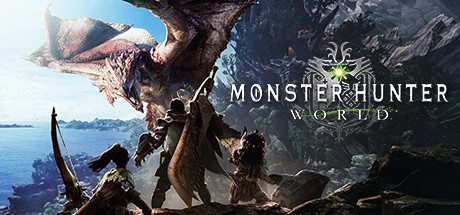
Monster Hunter: World PC Hardware Guide
Official requirements explained
The official minimum CPU list includes the Intel Core i5-4460, Core i3-9100F, AMD FX-6300 and Ryzen 3 3200G. The FX-6300 is roughly an older entry-level chip, and the i5-4460 is an early quad-core. For the GPU, the minimum lists the GTX 760, GTX 1050, Radeon R7 260X and RX 560, which sits between entry-level and older mid-range cards. In today's terms that is roughly on the level of Intel Iris Xe integrated graphics. The minimum calls for 8 GB of RAM and 52 GB of storage, and the publisher does not require an SSD.
The official recommended CPU includes the Core i7-3770, Core i3-8350, Core i3-9350F, Ryzen 5 1500X and Ryzen 5 3400G. In current terms that is roughly a Core i5-4670K class processor, slightly above entry level. The recommended GPUs are the GTX 1060 (3GB) or GTX 1650, and the RX 480 or RX 570, which is roughly on the level of a GTX 1650 4GB today. RAM and storage figures match the minimum, and no SSD is specified.
The main gap between minimum and recommended is GPU generation and VRAM, while the CPU gap is smaller. If your graphics card only meets the minimum, the game should run, but you will need more conservative settings. Hardware that meets the recommended tier gives you more room at default settings. The publisher does not list any tier above the recommended one.
Recommended builds for three budgets
The entry build pairs a GTX 1650 4GB or RTX 3050 6GB with a six-core chip such as the Ryzen 5 3500X or Core i5-10400F, and 16 GB of RAM. It clears the official recommended tier and suits players on a tighter budget who mainly play at 1080p.
The mainstream build uses a GTX 1660, RX 5600 XT or RTX 3050 8GB, with a Ryzen 5 3600 or Core i5-10400 and 16 GB of RAM. This tier has more headroom to stay steady at recommended settings and handles background programs and future updates more comfortably.
The high build centers on an RTX 3060 Ti, RX 7600 or RTX 4060 with a Ryzen 5 5600 or Core i5-12400, and 32 GB of RAM if you can afford it. This is well above the official recommended requirements and suits anyone wanting higher resolutions or more effects enabled.
Graphics settings with the biggest impact
In an action game like this, the settings that usually cost the most are shadow quality, volumetric lighting and fog, view distance, and any ray tracing options. Shadows and volumetric effects tend to be the heaviest in large scenes, so lower those first. Keep texture quality and anti-aliasing high where you can, since they affect sharpness directly and usually cost less performance.
Upscaling technologies such as NVIDIA DLSS, AMD FSR and Intel XeSS render at a lower internal resolution and reconstruct a sharper image. In general, when a card is short on headroom, upscaling can preserve more detail than cutting overall quality, though the exact result depends on your hardware and settings, so test it yourself.
Start with the in-game default preset. If certain areas stutter, adjust the heavier options listed above one at a time.
Laptops and handheld PCs
A laptop GPU with the same name as a desktop card is usually slower, because of lower power limits and cooling constraints. An RTX 3050 laptop model, for example, often runs at a lower power budget than its desktop counterpart and may throttle during long sessions. When buying a laptop, check the GPU's power rating and cooling design, not just the model name.
Handheld PCs such as the Steam Deck or ROG Ally can run PC versions of games, but battery life, thermal limits and screen resolution all restrict performance. As a general approach, start with low to medium settings, use upscaling where available, and keep an eye on memory and storage needs. We have no verified handheld data for this game, so treat this as general guidance.
Storage and memory
The official minimum is 8 GB of RAM, but 16 GB is a safer target, especially if you run a browser, chat app or streaming software alongside the game. Use two matching sticks in dual-channel mode, which helps overall performance and is especially useful when the CPU or integrated graphics are under load.
The game needs 52 GB of storage. Leave extra space for updates and mods. An SSD is not required, but it significantly shortens load times, especially when moving between areas or starting quests. A hard drive will still work, with longer waits.
Also keep an eye on free space. A nearly full drive can slow down both the game and updates, so leave at least a dozen gigabytes spare.