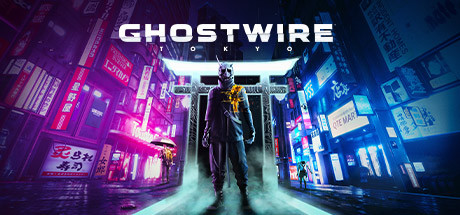
Ghostwire: Tokyo PC Hardware Guide
Official requirements explained
The official minimum for Ghostwire: Tokyo lists a Core i7-4770K at 3.5GHz or a Ryzen 5 2600 for the processor, and a GTX 1060, RX 5500 XT or Arc A380 for the graphics card, with at least 6GB of VRAM. In our tier references these sit at the entry level and the older end of the mainstream range: the Arc A380 is an older entry-level card, and the Ryzen 5 2600 is an early mainstream-class CPU. The minimum asks for 12GB of RAM and 26GB of free storage. The publisher does not require an SSD.
The official recommended level lists a GTX 1080, RX 5600 XT or Arc A750 for the graphics card, which is roughly a 1080p mainstream target; the RX 5600 XT sits in the mainstream band in our references. The recommended CPU is a Core i7-6700 or the same Ryzen 5 2600 listed at minimum, so the main processor difference is on the Intel side. Recommended RAM rises to 16GB, which is the clearest step up from the minimum.
In practice, the minimum is the threshold for the game to run at low settings, while the recommended level is what the publisher considers a comfortable experience. A machine that meets the recommended tier with a mainstream GPU and 16GB of RAM is a solid target for most players. The absence of an SSD requirement does not mean an SSD is unhelpful; that is covered below.
Note that the publisher did not list separate requirements beyond these two tiers.
Recommended builds for three budgets
The entry build pairs a card such as the Intel Arc A380, GTX 1660 or RTX 3050 with a Ryzen 3 3100 or Core i3-10100F and 16GB of RAM. It suits players on a tight budget who are happy with 1080p at low to medium settings. It clears the official minimum tier, but holding higher settings for long sessions will be a struggle.
The mainstream build centers on cards like the RX 5600 XT, RTX 2060 or RTX 3060, paired with a Ryzen 5 3600 or Core i5-10400F and 16GB of RAM. This is the combination that best matches the official recommended tier. It suits most players who want medium-high settings at 1080p and offers a balanced value.
The high-end build uses cards such as the RTX 3080, RX 6800 XT or the newer RTX 5060 Ti, with a Ryzen 7 5700X or Ryzen 5 5600 and 32GB of RAM for extra headroom. It suits players who want higher resolutions or more effects, or who run other software alongside the game and want room to spare for future updates.
Graphics settings with the biggest impact
In open-world action games like this, the settings that usually cost the most are shadow quality, volumetric lighting and fog, ray tracing, and the density of crowds and effects. Shadows and volumetrics do a lot of work in a dense night-time city, so lowering them first is a good idea; the visual loss is often small while the relief to the graphics card is real. If your card is not a recent generation, ray tracing is best turned off or kept at a low setting.
View distance and level of detail control how much distant geometry is drawn. Lowering them has a visible effect on far-off scenery, but usually helps responsiveness less directly than the lighting options. Texture quality mostly uses VRAM, so with 6GB, avoid the highest texture setting to reduce stutter and late texture loading.
Upscaling technologies such as NVIDIA DLSS, AMD FSR and Intel XeSS render at a lower internal resolution and reconstruct the image at your output resolution. If your card supports one, enabling it usually buys a useful performance margin for a modest image cost. Quality or balanced modes are the sensible starting points.
Laptops and handheld PCs
A laptop GPU sharing a name with a desktop card usually performs below it. Laptop versions run with lower power limits (TGP) and tighter cooling, so the same name can mean noticeably less performance. When judging a laptop, check its graphics power and cooling design rather than just the model name. Keep the laptop plugged in and use a performance profile, since on battery the chip is often throttled heavily.
Handheld PCs such as the Steam Deck or ROG Ally are portable platforms suited to lower resolutions and low to medium settings. Their thermal and power budgets are tight, so use their built-in performance controls, enable upscaling where available, and set a frame cap to keep the experience steady. We have no verification data for the Steam Deck, so we cannot give a specific rating for that device; these are general guidelines.
Overall, most current handhelds can run the game if you accept reduced settings. For high settings and steady performance, a desktop or a fuller-spec laptop is the better choice.
Storage and memory
The official minimum asks for 12GB of RAM and the recommended level asks for 16GB. Once Windows and background programs are accounted for, 16GB is a sensible starting point, and 32GB gives comfortable room if you also run a browser, streaming software or chat apps. Make sure your memory is installed in dual-channel configuration; it improves data transfer between the processor and the rest of the system and helps overall smoothness.
The game needs 26GB of free space, but leave extra room for later updates and custom content. The publisher does not require an SSD, yet an SSD noticeably shortens load times and is especially helpful for a title that streams a lot of data, so it is the recommended place to install.
Finally, a nearly full drive slows reads and writes, so keep at least 10 to 15 percent free. An HDD can still run the game, but expect longer waits when loading.