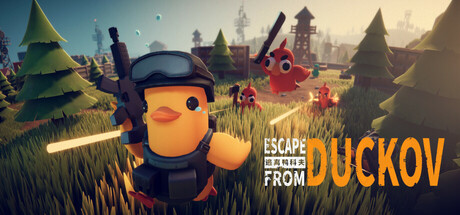
Escape From Duckov PC Hardware Guide
Official requirements explained
The official minimum CPU is listed as Intel Core i7-9700, AMD Ryzen 5 5600, or Snapdragon X. In today's terms, the Ryzen 5 5600 sits in the entry end of the modern mainstream range, roughly at the level of an Intel Core i5-10400F. That means the CPU is not a weak baseline at the minimum, though it is not a top-end choice either.
The recommended CPU is listed as Intel Core i7-9700, AMD Ryzen 7 5700, or Snapdragon X2 Elite. The Ryzen 7 5700 sits one step above the minimum, so the processor has more headroom at this level, especially when a scene is packed with objects.
For graphics, the minimum lists NVIDIA GeForce GTX 1060 or AMD Radeon RX 6500 XT. Both fall between older-generation and entry-level hardware. They can run the game, but you will usually need to drop the graphics settings to lower presets. The recommended list names GeForce GTX 2060 (the RTX 2060 6GB tier) or Radeon RX 6600, which lands in the entry gaming band and gives a more comfortable starting point.
System memory is listed as 8GB minimum and 16GB recommended. In practice, 16GB is the more sensible target. Both levels list 16GB of storage, and the publisher does not require an SSD.
Recommended builds for three budgets
Entry build: AMD Radeon RX 6500 XT graphics, Intel Core i5-10400F processor, and 16GB of memory. The RX 6500 XT only meets the official minimum, so this combination suits players on a tight budget who are happy to lower their settings. The processor meets the official recommended level, so the CPU should not be the bottleneck. The graphics card is the main limit here.
Mainstream build: NVIDIA GeForce RTX 2060 6GB graphics, Intel Core i5-10400F processor, and 16GB of memory. The RTX 2060 6GB meets the official recommended level, making it a good fit for players who want steadier performance and higher settings without spending much more.
High-end build: NVIDIA GeForce RTX 3080 10GB graphics, AMD Ryzen 7 5700X3D processor, and 32GB of memory. Both parts sit well above the official recommended level, so this suits players who want high settings, or who run streaming and other software alongside the game. For this title, the build already has plenty of headroom, and extra upgrades will bring smaller gains.
Graphics settings with the biggest impact
In an action-exploration PVE survival RPG like this one, the settings that usually cost the most are shadow quality, volumetric lighting and fog, vegetation and scene object density, and view distance. If you need to free up resources, lower shadows and volumetrics first, since that usually costs the least visually and recovers the most performance. Reducing view distance is also effective, because the number of distant objects directly drives the workload.
Ray tracing is usually the most expensive option. If your graphics card is in the entry or mainstream range, turn it off or keep only a low-intensity version. Anti-aliasing is a matter of taste, but at lower resolutions, methods such as TAA tend to be lighter on resources than MSAA.
Upscaling technologies such as DLSS, FSR, and XeSS generally render the scene at a lower internal resolution in exchange for a higher frame rate, and the visual loss is often acceptable. Availability depends on your graphics card and the game's menus, so check the settings before deciding.
Laptops and handheld PCs
Laptop graphics chips often perform below desktop parts with the same name. The reason is that laptops have lower power limits and limited cooling space, so even identical model names usually land a tier lower than the desktop version. When buying, check which power variant the laptop uses and judge it by that real power level.
Handheld PCs such as the Steam Deck or ROG Ally are low-power portable platforms. They suit lower or medium settings and benefit from upscaling. We do not have Steam Deck verification data for this game, so we cannot give a specific compatibility rating, and the publisher does not list a handheld tier, so the advice here is based on general principles only.
Storage and memory
For memory, 8GB is the official minimum. It can run the game, but if you keep a browser, chat apps, or streaming software open, you may see stutters or slower loading. Starting from 16GB is the safer choice. A dual-channel configuration gives better memory bandwidth, which you can get by installing two sticks of the same capacity.
The game needs 16GB of storage, but after installation you should leave extra room for updates and saves. The publisher does not require an SSD, so a hard drive will work, but an SSD shortens load times and keeps the game's data streaming smoother.