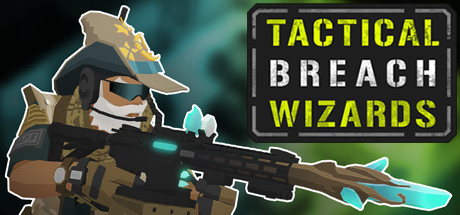
Tactical Breach Wizards PC Hardware Guide
Official requirements explained
The official minimum CPU is an Intel Core 2 Duo E4700 at 2.6 GHz or an AMD Phenom 9950 Quad Core at 2.6 GHz. Today that roughly corresponds to an entry-level processor, around the level of an AMD Athlon 64 X2 6000+. The minimum graphics card is a 1GB ATI Radeon HD 5770 or a 1GB NVIDIA GeForce GTX 460 or better, which sits at roughly the entry tier of today's lineup, comparable to an AMD Radeon HD 7750.
The official minimum asks for 8GB of RAM and 3GB of storage. The publisher does not require an SSD. No recommended specification has been published, so there is no step-up to compare against the minimum. In practice, the minimum is the only firm benchmark we can point to, and the build suggestions below cover what a smoother experience looks like.
For a turn-based tactics game, hardware at the minimum tier should be able to launch the game and get through battles, but you will likely need to lower graphics settings to keep things steady.
Recommended builds for three budgets
The entry build suits players who want to run the game smoothly on a tight budget. It pairs an NVIDIA GeForce GTX 1650 4GB with an AMD Ryzen 3 3100, and both meet the official recommended level. We suggest 16GB of RAM, even though the minimum is only 8GB, because the extra room keeps the system and background programs from crowding the game.
The mainstream build is for players who want better value and some room to upgrade later. It uses an NVIDIA GeForce RTX 3050 6GB and an AMD Ryzen 5 3500, both of which meet the official recommended level, with 16GB of RAM. This tier leaves more headroom while playing and makes it easier to handle heavier games down the line.
The high-end build is for players who want the best experience or who run a high-resolution display. It uses an NVIDIA GeForce RTX 5070 Ti and an AMD Ryzen 7 9800X3D, both above the official recommended level, paired with 32GB of RAM. This game does not require this tier, but it lets you push graphics settings higher without straining the system.
Graphics settings with the biggest impact
In tactics games like this one, the heaviest settings are usually shadows, volumetric lighting and fog, particle and object density, and view distance. Shadows and volumetrics get more expensive as the number of light sources in a scene grows, so if you need to free up performance, lowering those two usually has the biggest effect with the smallest loss in visual quality.
View distance and object density control how much detail you can see at once across a scene. It is worth keeping them at medium or higher so that maps do not look sparse. Ray tracing, if the game offers it, is typically one of the most demanding options, so it is best left off unless your graphics card is at the high end.
Upscaling technologies such as DLSS, FSR, and XeSS work by rendering the image at a lower internal resolution and reconstructing it to your display's resolution. They generally reduce the load on your graphics card with modest image-quality trade-offs. Support depends on your GPU and on the game itself, so check the settings menu. Anti-aliasing can be adjusted as well, and on a mid-range system you rarely need to max it out.
Laptops and handheld PCs
A laptop graphics chip sharing a name with a desktop card usually performs differently, because power limits and cooling are tighter in a thin chassis. The same model name can run at lower sustained power, so real-world performance often trails the desktop version. Before buying, check the laptop's power and cooling specifications rather than relying on the model name alone.
Handheld PCs such as the Steam Deck or ROG Ally are portable devices where battery life and thermals matter most. They typically run games at lower resolutions and settings, and you may need to enable upscaling or adjust power limits. We have no Steam Deck verification data for this game, so we cannot give a specific compatibility rating. Treat the general principles here as a starting point and adjust to your preferences.
On a handheld, a moderate resolution and frame cap usually balance battery life against picture quality well.
Storage and memory
For memory, the official minimum is 8GB, but we recommend 16GB in dual-channel configuration so the CPU and RAM can exchange data more efficiently. Running a single stick can hold back system performance and stability. 32GB mainly suits players who run many other programs at once or have heavier workloads, and it is not necessary for this game.
For storage, the official requirement is only 3GB, so capacity is not a concern. The publisher does not require an SSD, but an SSD noticeably shortens load times and scene transitions, making the game feel snappier. A hard drive will still run the game without trouble, though loading will take longer.
Whichever drive you use, keep some free space on the game and system drives. That leaves room for updates and save files and prevents the system from slowing down when storage runs low.