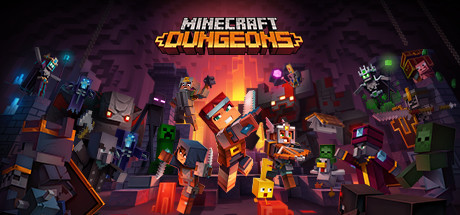
Minecraft Dungeons PC Hardware Guide
Official requirements explained
Minecraft Dungeons lists the same hardware for both its minimum and recommended requirements: an Intel Core i5 at 2.8GHz or an equivalent processor, and an NVIDIA GeForce GTX 660, AMD Radeon HD 7870 or equivalent DX11 graphics card. The listed RAM is 8GB and the storage requirement is 6GB. The publisher does not require an SSD.
In today's terms, a Core i5 at 2.8GHz roughly corresponds to an Intel Core i3-4130, which is a very old entry-level chip. The GTX 660 and HD 7870 sit at about the level of AMD Radeon Vega 8 Graphics, an integrated graphics solution at the entry end of the market. In other words, the bar here is low. Because the publisher did not separate a higher recommended tier, meeting the listed hardware is enough to fall within the official requirements.
Eight gigabytes of RAM meets the official spec, but 16GB is a safer target. Modern operating systems and background software already use a good share of memory, so the extra headroom keeps things steadier. The 6GB storage figure is comfortable for the game itself, though you should leave room for updates and any other titles you install.
Recommended builds for three budgets
The entry build suits players who want smooth play at 1080p on a tight budget. It pairs a GTX 1650, RX 6500 XT or RTX 3050 6GB with a Ryzen 3 or Core i3 processor and 16GB of RAM. This sits well above the official requirements, leaving room to run at default or slightly higher settings.
The mainstream build is the best value for most players. It suits anyone who wants higher settings or who plays other recent games alongside this one. The GPU options overlap with the entry tier but add the GTX 1660 Super and RTX 3050 8GB, and the processor can step up to a Ryzen 5 3600 or Core i5-10400. Again, 16GB of RAM keeps multitasking comfortable.
The high-end build is for players who want maximum settings, a high-resolution monitor, or headroom for more demanding games. Options include an RTX 4060, RX 7600 or RTX 2080 Super, paired with a Ryzen 5 5600, Core i5-12400 or Ryzen 7 8700G. This is far more than Minecraft Dungeons needs, but it is the most future-proof choice. Start with 16GB and consider 32GB if you run large mod packs or stream while playing.
Graphics settings with the biggest impact
Minecraft Dungeons blends action and dungeon-crawler RPG elements in a blocky art style, and its base hardware demands are modest. In games like this, shadow quality, volumetric effects, anti-aliasing and view distance usually cost the most. Shadows and volumetric lighting become heavier when many enemies and effects are on screen, so lowering them is the most effective way to keep big fights smooth. Anti-aliasing can usually sit at a medium setting without much cost to clarity.
View distance and detail density are worth keeping at default or slightly higher. They make a visible difference to the look of the game and tend not to hurt performance much. If you have an entry-level card, begin by trimming shadows, which often gives the best stability for the least visual loss.
If the game offers DLSS, FSR or XeSS, these upscaling methods render at a lower internal resolution and reconstruct a sharper image, easing the load on the GPU. Which options you can use depends on your graphics card and each technology has its own quality trade-offs and hardware support. If they are available, try them before dropping core visual settings.
Laptops and handheld PCs
Laptop GPUs often share names with desktop cards, such as GTX 1650 or RTX 3050, but they usually run at lower power limits (TGP) and depend heavily on cooling, so real performance can trail the desktop version. When shopping, check the stated power limit and cooling design rather than assuming a matching name means matching speed. For a lightweight game like this, a mid-range laptop GPU is usually enough, but make sure the machine is set to a performance power profile.
Handheld PCs such as the Steam Deck and ROG Ally are portable computers with integrated graphics that generally fall between entry-level and mid-range. They suit lower resolutions and medium settings. We have no Steam Deck verification data for this title, so treat this as general guidance: start with conservative settings, adjust the frame cap for battery life and thermals, and keep the device well ventilated.
For any laptop or handheld, avoid long sessions in hot environments, since thermal throttling can quietly reduce performance over time.
Storage and memory
Eight gigabytes is the official RAM figure, but 16GB gives the game and background software more room and reduces stutter caused by paging to disk. Make sure the memory runs in dual-channel mode by using the slots your motherboard recommends. For systems with integrated graphics in particular, dual-channel memory often matters more than raw capacity.
The game needs about 6GB of storage, but plan for more so you have room for patches and other titles. The publisher does not require an SSD, though an SSD noticeably shortens load times, especially when entering levels and starting the game. If your budget allows, install the game on an SSD for a smoother experience than a traditional hard drive would give.
Whether you use an SSD or HDD, clear out unneeded files regularly and keep roughly 10% of the drive free to maintain stable system and game performance.