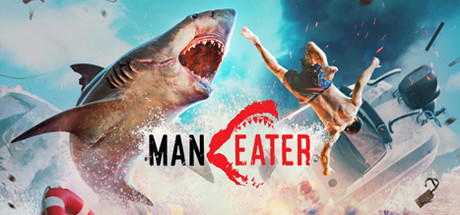
Maneater PC Hardware Guide
Official requirements explained
The official minimum for Maneater is an Intel Core i5-5300U, Intel HD 5500 integrated graphics, 8 GB of RAM and 20 GB of storage. By today's standards that is an entry-level target, roughly in the entry band of FrameScope's internal tiers. It mainly means the game can start on a low-power laptop or an older machine, not that it will run comfortably. No SSD is required, so a hard drive will work, though loading will be noticeably slower.
The official recommended level moves up to an Intel Core i7-3770 or AMD Ryzen 5 1500X or better, plus an NVIDIA GeForce GTX 970 or AMD Radeon R9 390 or better. RAM and storage stay at 8 GB and 20 GB. The GTX 970 sits in the older entry band today, close to a GTX 1060 3GB. In practice, the biggest gap between minimum and recommended is the graphics card, so moving from integrated graphics to a discrete GPU is the key step.
The recommended RAM figure is still 8 GB, but treat that as the floor rather than the target. With 8 GB, Windows and background apps leave little room, so we suggest 16 GB as a comfortable starting point.
Recommended builds for three budgets
The entry build suits players on a tight budget who want to see whether the game is for them. Graphics options here include the GTX 1650, GTX 1660 and RTX 3050 6GB, paired with a quad-core CPU such as the Ryzen 3 3100 or Core i3-10100F. This combination clears the official recommended level and targets 1080p. Going with 16 GB of RAM makes it noticeably less cramped than 8 GB.
The mainstream build is the sweet spot for most players. The GPU options are the GTX 1660 Super, RTX 3050 8GB, RX 5600 XT or Arc A580, and the CPU steps up to a Ryzen 5 3600 or Core i5-10400 class part. This tier clears the recommended level with room to spare at 1080p and leaves headroom for other programs running alongside the game.
The high build suits players who want higher settings or do not want to upgrade for several years. Options include the RTX 3060 Ti, RX 6700 XT, RTX 4060 or Arc B580, with a Ryzen 5 5600, Ryzen 5 8600G or Core i5-12400. This is well above the official recommended level. Maneater is not especially demanding, so spending heavily at this tier gives diminishing returns unless you play other, heavier games too.
Graphics settings with the biggest impact
Maneater is an open-world action adventure, and its heaviest visual costs usually come from view distance, shadows, volumetric lighting and water effects. Water and light scattering take up a large share of the work in ocean scenes, so if performance is tight, lower volumetrics and water quality first; they often cost more than they give back visually. Shadow resolution and distance are also common costs, and medium settings usually balance look and speed well.
Ray tracing is generally not necessary for this game. If your card supports it, you can try a lower reflection or shadow setting, but for stable performance it is best left off. If the game offers crowd or simulation density options, lowering them reduces the computing load in busy scenes with little effect on gameplay.
If your GPU supports DLSS, FSR or XeSS, upscaling renders the scene at a lower internal resolution and reconstructs it to your display resolution. These techniques use temporal and spatial data to rebuild the image, and they can recover performance with modest image loss. How well they work depends on your hardware and settings, and we have no test data to offer on that.
Laptops and handheld PCs
Laptop GPUs often share a name with desktop cards, such as an RTX 3060, but the laptop version usually runs at a lower power limit and is constrained by cooling in a thin chassis. When comparing, look beyond the model name to the laptop's power and thermal design. A laptop with a same-named GPU may perform below the desktop version, so judge it against the official recommended level rather than the name alone.
Handheld PCs such as the Steam Deck or ROG Ally trade performance against battery life, cooling and screen resolution. In general, they do best with a reduced resolution, medium-to-low settings and upscaling enabled to keep the frame experience smooth. We do not have Steam Deck verification data for this game, so this is general guidance only and we cannot give a compatibility rating.
Whichever device you use, set the power mode to performance and keep vents clear. Long sessions can throttle under weak cooling, and that can make the experience noticeably worse.
Storage and memory
The official minimum and recommended RAM is 8 GB, but we recommend at least 16 GB, since after the operating system and background apps take their share, 8 GB leaves little room. If your board supports dual channel, install two sticks, as this matters more for integrated graphics and some CPUs.
The official storage requirement is 20 GB, which covers the base install. Leave extra space for updates and save files, since patches can grow the installed size over time. An SSD is not required, but it shortens loading and helps with scene transitions across the open world. If your budget allows, an SSD is one of the most worthwhile upgrades you can make.