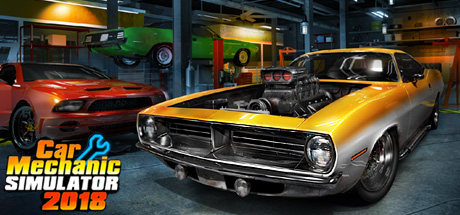
Car Mechanic Simulator 2018 PC Hardware Guide
Official requirements explained
The official minimum for Car Mechanic Simulator 2018 is an Intel Core i3 at 3.0 GHz, an NVIDIA GeForce GTX 660 2GB, 4 GB of RAM and 20 GB of storage. By our comparison, that CPU is an older entry-level processor, and the GTX 660 sits in the older entry-level band, roughly on par with a GTX 750 Ti.
The official recommended spec is an Intel Core i5 at 3.4 GHz, an NVIDIA GeForce GTX 970 4GB and 8 GB of RAM. The GTX 970 is still in the older entry-level band in our comparison, but it is a clear step above the minimum GPU, and the Core i5 is one tier up from the Core i3. In practice, the recommended tier raises the bar mainly on graphics and memory, so the game has more headroom at higher settings.
The publisher does not list an SSD requirement; both tiers state that an SSD is not required, so a regular hard drive will work. Storage is listed as 20 GB for both levels. Keep in mind that this is the base game size, and updates and saves will take additional space over time.
Recommended builds for three budgets
The entry build suits players who want to keep costs down and play at modest settings. Pair an NVIDIA GeForce GTX 1650 4GB with an AMD Ryzen 5 3500X or Intel Core i5-10400F and install at least 16 GB of RAM. Both the GPU and CPU sit well above the official recommended tier, so you should have comfortable room at low to medium settings.
The mainstream build is the choice for most players. An NVIDIA GeForce GTX 1660 Super or RTX 3050 8GB handles higher settings with stability, and an AMD Ryzen 5 3600 or Intel Core i5-10400 provides plenty of processing power. Again, 16 GB of RAM is the sensible baseline, and it leaves room for mods or future updates.
The high-end build is for players who want higher resolutions, more detail, or who run several content-heavy titles on the same machine. An NVIDIA GeForce RTX 3060 Ti or AMD Radeon RX 6700 XT paired with an AMD Ryzen 5 5600X or Intel Core i7-11700K is well beyond the official recommended spec. For this game alone it is more than necessary, but it is a comfortable choice if the PC serves other demanding games too.
Graphics settings with the biggest impact
In a simulation game built around vehicle detail and large workshop scenes, the settings that usually cost the most are shadow quality, volumetric lighting and fog, the density of scene objects, and view distance. Shadows and volumetrics add noticeable visual depth but are demanding on the GPU, while view distance increases the number of objects that must be drawn. If your graphics card only just meets the recommended tier, lowering these to medium is the most sensible first step, and you can leave the rest higher.
Anti-aliasing and texture quality generally have a smaller effect on performance, but textures need a fair amount of video memory. If your card has 2 GB or 4 GB of VRAM, avoid setting textures to the maximum to prevent stutter. The official requirements do not mention ray tracing, so there is no reason to sacrifice other options for it.
Upscaling technologies such as NVIDIA DLSS, AMD FSR and Intel XeSS work in general by rendering at a lower internal resolution and reconstructing the image to your output resolution. If your GPU supports one of them, enabling it can ease the load with little visible loss. Support varies by card, so choose whichever your hardware offers.
Laptops and handheld PCs
Laptop GPUs often share names with desktop parts, such as a GTX 1660 Ti or RTX 3060, but the mobile versions usually run at lower power limits and are constrained by smaller cooling systems. That means real-world performance is often below the desktop equivalent. When choosing a laptop, look beyond the model name to its power configuration and cooling reviews. If the machine slows down after long sessions, set the power mode to high performance and keep the vents clear.
Handheld PCs such as the Steam Deck or ASUS ROG Ally run standard PC software, but their adjustable power and graphics range is narrower. In general, setting resolution and graphics to low or medium, and using the built-in frame limiting or power controls, keeps battery life and heat more manageable. We have no handheld verification data for this title, so this is general guidance only.
Storage and memory
The official minimum RAM is 4 GB and the recommended is 8 GB. Once the operating system and background apps are counted, we suggest 16 GB for a comfortable experience, which is the baseline used for all three builds above. Dual-channel memory, such as two 8 GB sticks rather than one 16 GB stick, generally gives the processor and GPU a smoother flow of data.
An SSD is not required, but it noticeably shortens load times. Switching scenes, entering the workshop areas and loading different vehicle models feel much quicker on an SSD. If your budget allows, installing the game on one is worthwhile.
The listed requirement is 20 GB. After installation, saves, updates and personal settings will take up more space, so leave more free room than the official figure suggests, and avoid letting the drive fill up, which can hurt read and write speed and interrupt updates. We do not have detailed data on the installed size of the game, so the official number is the only reference here.